Humble Voice

Dictation that reads like you wrote it.
Hold the Right Option key in any app. Speak. Release. The fillers are stripped and the punctuation is right before the text reaches your cursor — and one more keystroke runs it through Apple's on-device model for a proper cleanup. Entirely on your Mac. $19.99, one time.
Built for Apple Silicon. No account. No subscription. No telemetry.
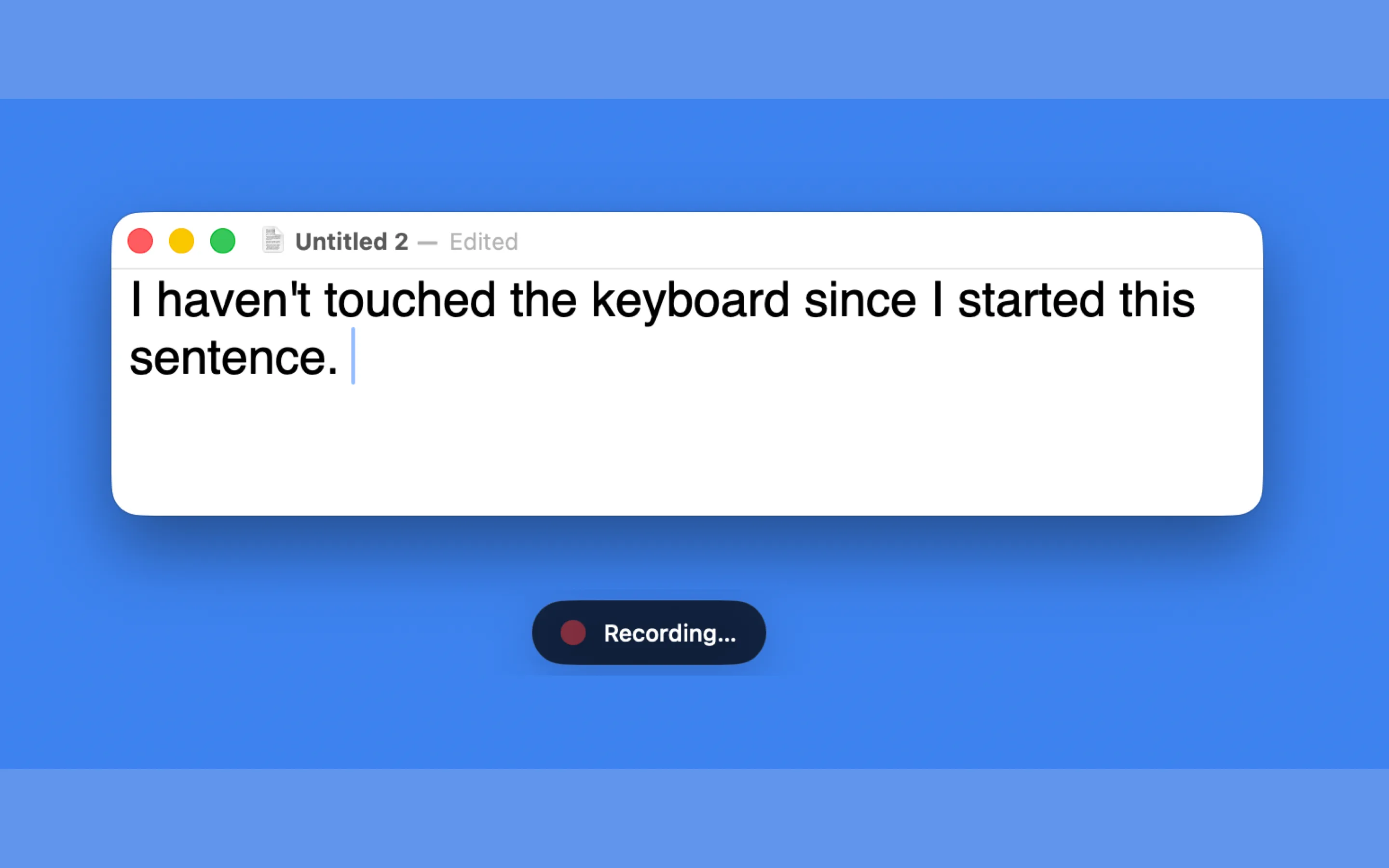
Hold a key. Speak. Release. That's it.
Humble Voice does one thing and doesn't apologize for it. There's no dashboard, no usage limit, no AI assistant to configure, no account to lose. It lives in your menu bar. It works in every app. You own it forever.
Most software wants to be a platform. We want to be a hammer.
The Whisper model runs on the Neural Engine inside the Mac you already own. Your voice stays on your machine. When you buy Humble Voice, it's yours — no subscription, no server dependency, no recurring permission to use your own computer.
That's the whole idea.
How it works
One key. Everywhere. Yours forever.
Humble Voice turns a held key into transcribed text at your cursor, in any app, without leaving your Mac.
- 01
Install and grant three permissions.
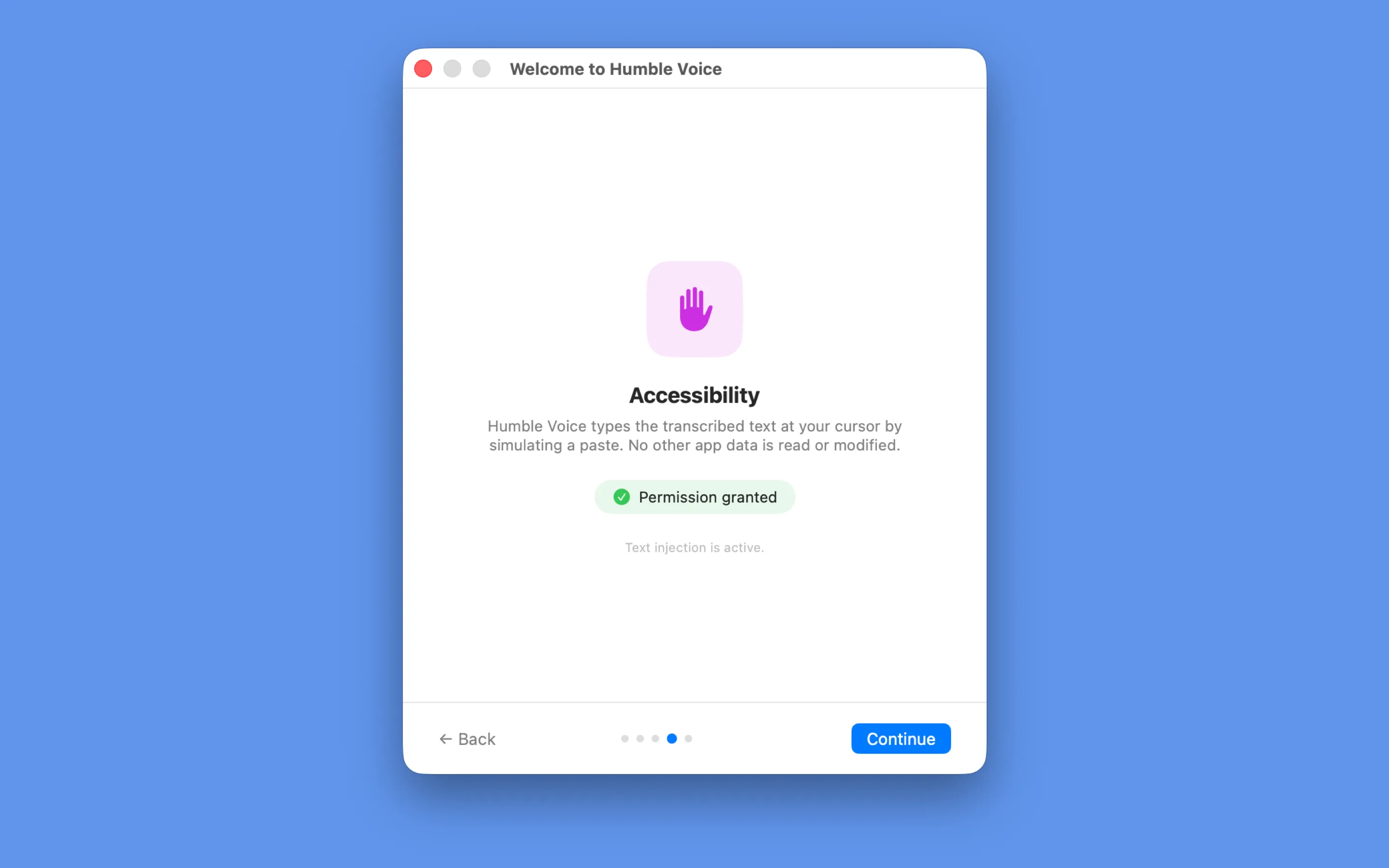
Microphone, Input Monitoring, Accessibility. Humble Voice walks you through each one. Takes about two minutes.
- 02
Put your cursor where you want text.
A Slack message, an email draft, a Notion doc, a line of code, a Spotlight search. Anywhere with a text cursor works.
- 03
Hold the hotkey and speak.
Right Option is the default. Talk at a normal pace. There’s nothing to launch and no window to focus.
- 04
Release. Your text appears.
On Apple Silicon, the words show up at the cursor in well under a second. Your clipboard is restored 150 milliseconds later, exactly as you left it.
Built-in cleanup
Text cleanup that keeps the voice, not the mess.
Three quiet passes that run before the text reaches your cursor.
Spoken punctuation
Say "comma," "question mark," "new paragraph" to shape the text as you speak. The words become punctuation; you never have to stop and reach for the keyboard.
Filler removal
Trims "um," "uh," "hmm," "mhm," "uh-huh," and "you know" — while leaving real words like "like" alone. The result reads like you meant every word.
Spacing cleanup
Collapses extra spaces, fixes punctuation spacing, capitalizes the first character. The small corrections that usually require a manual pass.
Optional
On by default. Turn it off from the menu bar whenever you want raw Whisper output.
The part that isn't just transcription
One more keystroke turns a rambling take into a clean paragraph.
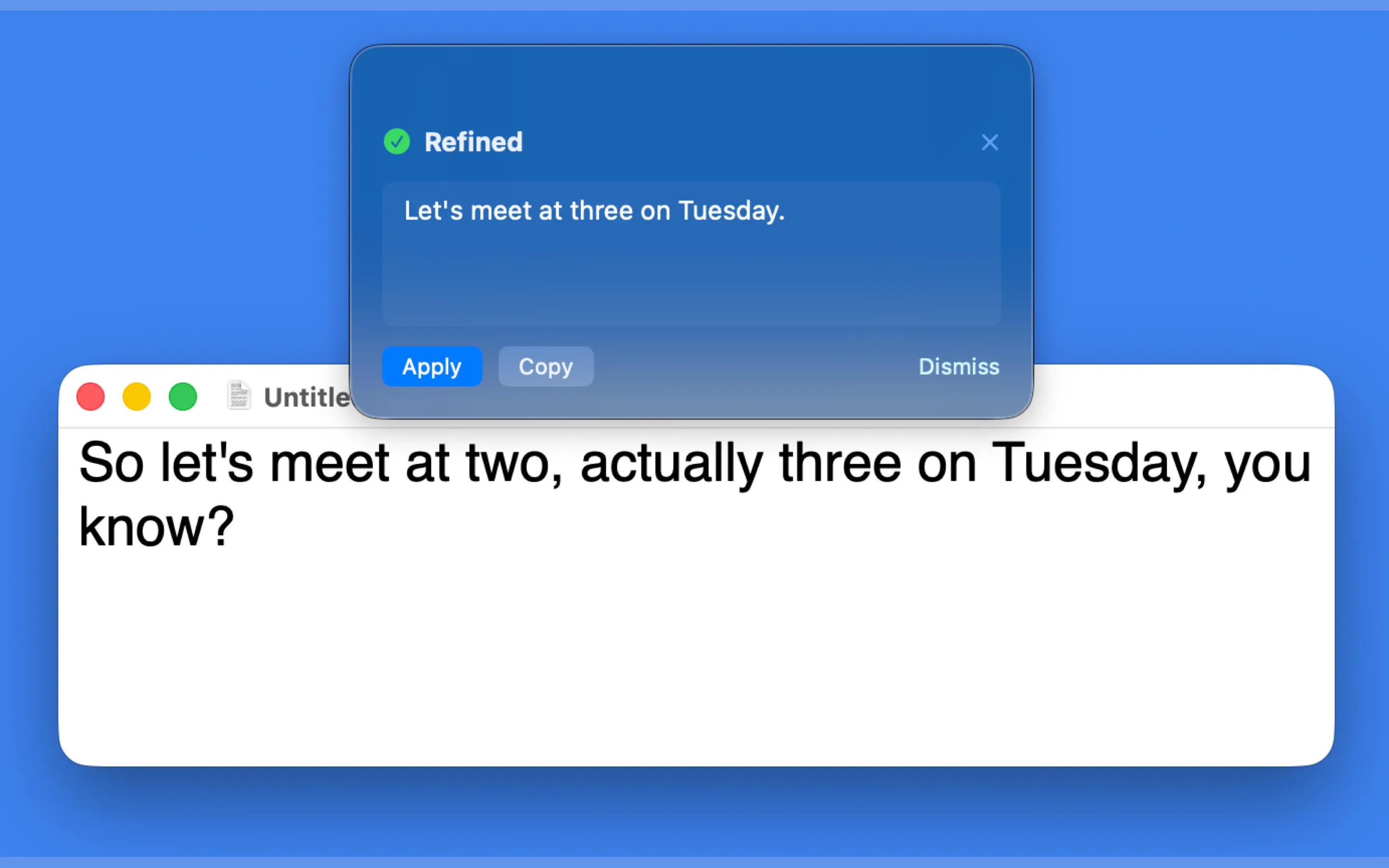
Dictate something — a long thought, a tangled sentence, an idea you talked your way around. Then press ⌃⌘R within 30 seconds. A small panel slides in with a cleaned-up version: fillers gone, punctuation tidied, sentence structure smoothed. The text is editable before you do anything with it.
Click Apply to replace the original. Click Copy to keep both. Or close the panel and pretend you never asked.
On macOS 26 with Apple Intelligence:
AI Refine uses Apple Foundation Models — running entirely on your Mac. The session is discarded after each use so your previous dictations never influence the next cleanup.
On older macOS:
AI Refine falls back to rules-based cleanup. Same filler removal, same spoken punctuation, no wait.
Either way, your text never leaves the machine.
There is no API key to paste in, no model to choose, and no tier that unlocks it. It is part of the $19.99, it works the first time you press the keys, and it keeps working with the Wi-Fi off.
What it's good at
Stripping fillers without nuking your voice. Turning spoken commas into real ones. Smoothing a sentence that made sense when you said it but reads rough on screen.
What it won't do
Rewrite your meaning. Insert facts. Pretend to be ChatGPT. AI Refine is a janitor, not a ghostwriter.
Features
Everything it does. Nothing more.
Works in every app
If you can click into a text field and type, Humble Voice can dictate into it. Mail, Slack, Notes, Notion, Word, Safari, Chrome, VS Code, Xcode, Terminal, iMessage, Discord — all of it.
Fully on-device
Transcription runs on the Apple Neural Engine. Nothing is sent to a server, because there is no server.
Buy it once
$19.99, one time. No subscription, no renewal, no account required to run the app.
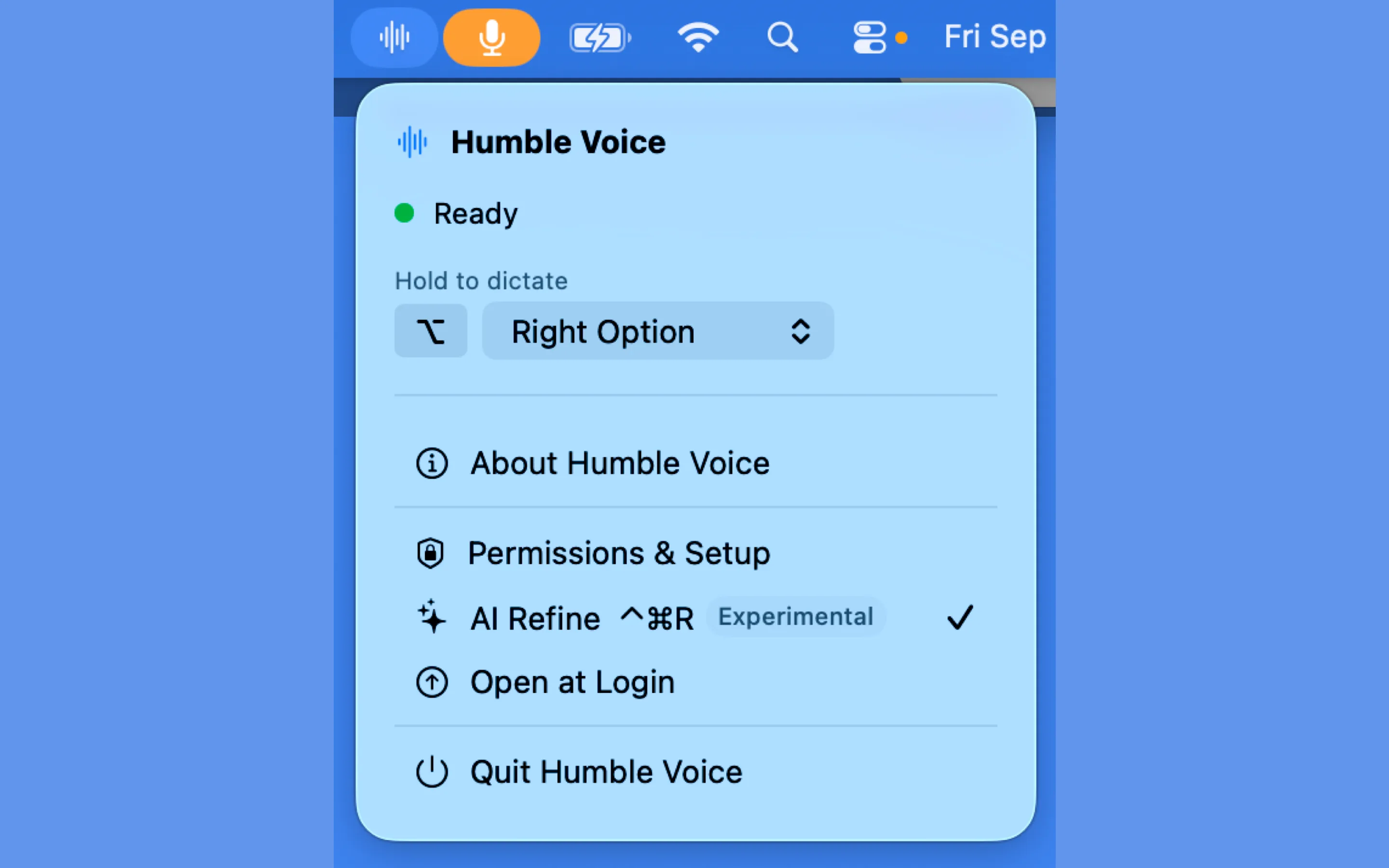
Lives in the menu bar
A small icon and nothing else. No Dock presence, no floating widget, no notification noise.
Customizable hotkey
Right Option by default. Switch to Right Command or Left Option if that suits your keyboard or workflow better. European keyboard users who need Right Option for AltGr are covered.
Clipboard-safe
Humble Voice briefly uses the clipboard to paste, then restores whatever was there before. The whole round-trip is 150 milliseconds.
Dictation is a utility, not a service.
Subscription pricing made sense when transcription needed a cloud GPU. It doesn't anymore — the Neural Engine in the Mac you already own does it in real time. Several of the good ones have worked that out and run locally now, and we'd rather say so than pretend we're the only ones. Running on your own machine shouldn't be a premium feature, and increasingly it isn't.
What hasn't changed is the price. The best of them still want more than a hundred dollars a year, or two hundred and fifty for a "lifetime" licence. And a transcript is only half the job — what you actually want is text you can send without editing it first.
| App | Price | Where audio goes | What you get back | Languages |
|---|---|---|---|---|
| Wispr Flow | $12–15 / month | Their servers | Auto-edits as you speak | 100+ |
| SuperWhisper | $8.49 / month, or $249.99 once | Your Mac | Custom prompt modes | 100+ |
| Apple Dictation | Free | Your Mac | Raw transcript | Many |
| Humble Voice | $19.99, once | Your Mac | Cleaned-up text, on-device | English |
Competitor pricing and features checked September 2026 against each vendor's own website. They change; if you spot something out of date, tell us and we'll correct it.
Humble Voice does less than any of them. English only. Mac only. No custom prompt modes, no shared team dictionaries, no file transcription. If you need those, buy one of the others — they're good, and we'd rather you were happy than disappointed in us.
What it does is the part you do forty times a day: hold a key, say the thing, and get back a sentence that doesn't need fixing. That's the whole product, and there's nothing to set up before it works.
For $19.99, once. Use it on every Mac you own. Keep using it when we stop updating it, when our website goes down, when the company is gone. It's an app — it should behave like one.
Your voice stays on your Mac.
No account, no telemetry, no ambient listening. The full transcription pipeline runs on your Mac — the model, the audio, the result. Nothing leaves. There's no account to create, no server to trust.
What never leaves your Mac
- — Your voice
- — Your transcripts
- — The contents of the apps you dictate into
- — Your clipboard
- — Your hotkey activity
- — Any metadata about what you said, when, or how often
What internet access is actually needed for
- — Downloading the Whisper model on first launch
- — Checking for app updates (you can turn this off)
That's it. After setup, airplane mode works fine.
Use cases
Who reaches for it most.
The writer working through a first draft
Sarah drafts a 2,000-word essay by holding Right Option and talking through her thoughts. She edits with her hands. Her wrists last the week.
The developer documenting code
A backend engineer dictates docstrings and commit messages directly into VS Code without breaking flow. Slack replies happen between compile runs.
The executive on back-to-back calls
Between Zoom meetings, she fires off six emails and three Slack DMs in the time it used to take to type two. No window to open, no app to focus.
The lawyer reviewing a brief
Margin notes, redlines, and client emails — dictated into Word and Outlook with confidence that no audio is sitting on someone else’s server.
The researcher with RSI
After two years of fighting wrist pain, dictation becomes the default and typing becomes the exception. The Mac he already owns does all the work.
The remote worker clearing the inbox
Sunday night triage. Forty emails, forty replies, no typing. Done before the kettle whistles.
Try it free for 7 days.
No account. No card. The full app, for a week. It just works — then asks if you want to keep it.
Humble Voice
$19.99
one time
What's included
- ✓ AI Refine (⌃⌘R) — on-device, powered by Apple Intelligence on macOS 26+
- ✓ Built-in text cleanup — spoken punctuation, filler removal, spacing
- ✓ On-device transcription, in every app, forever
- ✓ All future 1.x updates
- ✓ Customizable hotkeys
- ✓ A working email address if you need help
What's not included
- — A subscription
- — An account
- — A renewal email twelve months from now
FAQ
Questions, answered honestly.
Does it work offline?
Yes. After the first launch — which downloads the Whisper model — Humble Voice works with no internet at all. Put your Mac on a plane; dictation works the same.
Which Macs are supported?
Any Mac running macOS 14.6 Sonoma or later. Apple Silicon (M1 and later) is preferred for speed. Intel Macs work with slightly higher latency.
Does it really work in every app?
If you can click into a text field and type, Humble Voice can dictate into it. Slack, Gmail, Notion, Word, Notes, Safari, Chrome, VS Code, Xcode, Terminal, iMessage, Discord, Linear, Figma — all of it. We have not yet found one it can’t.
Is my voice ever uploaded?
No. Transcription runs on the Apple Neural Engine inside your Mac. There is no server to send it to, because we don’t operate one.
How accurate is the transcription?
Comparable to cloud dictation for English speech in a quiet room. Strong accents and background noise reduce accuracy, as they do for every dictation system. AI Refine can smooth the rough edges.
Why not just use the dictation built into macOS?
If it already works for you, use it — it is free and it also runs on-device. The difference is what arrives at the cursor. Humble Voice strips the fillers, turns spoken punctuation into real punctuation, and puts a one-key cleanup pass over the whole thing. It is also hold-to-talk rather than a toggle, which matters when you are firing off one sentence at a time.
Can I use it in languages other than English?
The first release ships with English. Additional languages are on the roadmap.
What happens after the 7-day trial?
Humble Voice stops transcribing until you buy a license. Everything you’ve already typed stays where you put it — we don’t have access to it.
Can I get a refund?
Yes. Email us within 30 days of purchase, no questions asked. The trial exists so you don’t have to take our word for it.
Stop typing the things you could just say.
No account. No card. The full app, for a week. $19.99 to keep it — one time, no subscription.
Humble Voice is built by a small team that makes Mac software the way Mac software used to be made. One thing. Done well. Yours to keep.